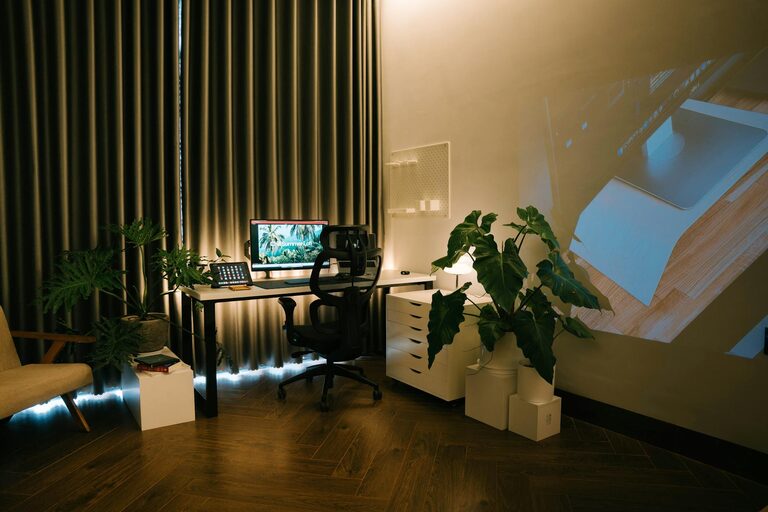
Creating a comfortable and efficient home office is key to staying productive and motivated while working remotely. Whether you have a dedicated room or just a small corner, you can transform your space into a cozy and inspiring place to work. This guide offers practical tips to help you design a home office that suits your needs and style.
Choose the Right Location
Finding the ideal spot for your home office sets the foundation for comfort and focus.
– Quiet Area: Select a space away from high-traffic zones and noise to minimize distractions.
– Natural Light: Position your desk near a window to benefit from daylight, which can improve mood and reduce eye strain.
– Ventilation: Good airflow keeps the room fresh; avoid closed or stuffy areas.
Invest in Comfortable Furniture
Your furniture plays a big role in both comfort and productivity.
– Ergonomic Chair: Choose a chair that supports good posture, with adjustable height and lumbar support.
– Appropriate Desk: Pick a desk size that fits your equipment and lets you work comfortably.
– Flexible Arrangements: Consider adjustable desks or standing desk options to vary your position during the day.
Organize for Efficiency
A tidy workspace promotes focus and reduces stress.
– Storage Solutions: Use shelves, drawers, or organizers to keep supplies within reach but out of sight.
– Cable Management: Use clips or sleeves to keep cords neat and prevent clutter.
– Daily Declutter: Spend a few minutes at the end of each day to organize your desk.
Personalize Your Space
Adding personal touches can make your home office more inviting and motivating.
– Artwork and Photos: Hang pictures or artwork that inspire and uplift your mood.
– Plants: Indoor plants improve air quality and add a calming natural element.
– Colors: Use calming or energizing colors depending on what works best for you; blues and greens are often soothing, while yellows can spark creativity.
Focus on Lighting
Adequate lighting reduces eye strain and keeps you alert.
– Task Lighting: Add a desk lamp with adjustable brightness to focus light where it’s needed.
– Avoid Glare: Position screens to minimize glare from windows or overhead lights.
– Layered Lighting: Combine ambient, task, and accent lighting for a balanced environment.
Incorporate Technology Wisely
Technology is essential, but it should support your workflow, not interfere.
– Reliable Internet: Ensure a strong and stable internet connection.
– Tools and Accessories: Use wireless keyboards, mice, or noise-cancelling headphones to enhance comfort and efficiency.
– Screen Setup: Position computer screens at eye level to reduce neck strain.
Create Boundaries
Separating work from home life is important for balance.
– Dedicated Office Space: Even a small, designated area helps signal “work mode.”
– Set Work Hours: Establish a routine to start and end your workday.
– Limit Distractions: Use “do not disturb” signs or apps to focus during key work periods.
Add Comfort Features
Comfort can boost your energy and focus.
– Soft Textiles: Include cushions, rugs, or throws to add warmth.
– Temperature Control: Use fans, heaters, or air conditioners to maintain a comfortable temperature.
– Refreshment Station: Keep water or healthy snacks nearby to stay hydrated and fueled.
Keep It Flexible
Your needs may change over time, so design your space to adapt.
– Modular Furniture: Pieces that can be rearranged or repurposed offer versatility.
– Mobile Storage: Rolling carts or bins make organizing easier.
– Adjustable Layout: Be open to shifting your setup to find what works best.
—
By thoughtfully creating a home office that balances coziness with productivity, you can build a workspace that supports your well-being and helps you achieve your professional goals. Take the time to personalize and optimize your space, and enjoy the benefits of working from home in comfort and style.